















In the current digital age, parental control is no longer optional: with the arrival of mobile devices, social networks, and unlimited access to the internet, protecting children demands advanced solutions like the GenRouter V3. It is no longer just about blocking content, but about guiding healthy digital habits and maintaining a safe environment without breaking family trust. This complete guide, developed by automation and security specialists from GenFarmer, shows you everything essential about parental control in 2025: from the most effective applications to the definitive infrastructure-level solution through router control with GenRouter.
1. What is Parental Control?
Parental control, is a set of tools and software designed to allow parents to monitor and restrict their children’s activities on digital devices and the Internet. Its main function is to create a safe and limited online environment for minors, protecting them from the dangers of the digital world.
1.1. Evolution of Control: From Application to Router
Initially, tools focused on basic functions:
- Content Filters: Blocking websites with specific themes (violence, pornography, gambling).
- Time Limits: Establishing daily or weekly usage schedules for the device or specific applications.
- Activity Monitoring: Recording browsing history and applications used.
With the sophistication of threats and the increase in IoT (Internet of Things) devices, the trend has moved towards comprehensive solutions. Parental control at the router level (such as that offered by GenRouter) is the pinnacle of this evolution, applying security rules directly at the Internet gateway. This ensures uniform protection for all devices connected to the home network, regardless of the operating system or whether an application is installed or not.
2. Why Do You Need Parental Control?
The need for robust parental control has gone from being an option to an obligation in the modern home. Online risks are varied and manifest in multiple layers:
2.1. Risks of Exposure to Inappropriate Content (Obvious Dangers)
The Internet is full of content unsuitable for minors. Children may accidentally or out of curiosity access material that causes them trauma, fear, or confusion. The most common risk categories that parents seek to block include:
- Pornography and Adult Content: Automated and updated blocking of adult movie websites.
- Explicit Violence or Self-Harm: Material that can normalize violence or promote harmful behaviors.
- Gambling and Risky Content: Blocking of betting websites, lotteries, and online casinos.
- Malvertising and Malware: Blocking domains that contain malware, phishing, and fraudulent links, which reduces the risk of infection by viruses, ransomware, or Trojans.
2.2. Privacy Risks and Development of Addictions (Hidden Dangers)
Less obvious dangers have to do with the psychological impact and long-term security of the minor’s data:
- Cyberbullying and Online Predators: Controlling activity on social networks and messaging apps (although limited by privacy) is crucial.
- Digital Addiction: The lack of limits can lead to excessive use, affecting sleep, school performance, and real-life social interactions. Parental control tools allow establishing time slots for network access or social media use.
- Tracking and Data Collection: Many websites and applications install invisible trackers that collect data on the minor’s activity, location, and even click habits. Network-level control can cut these connections, protecting family privacy.
3. The Key Features a Parental Control Must Have
A modern parental control system must go beyond simple blocking and offer a flexible and adaptable set of functionalities.
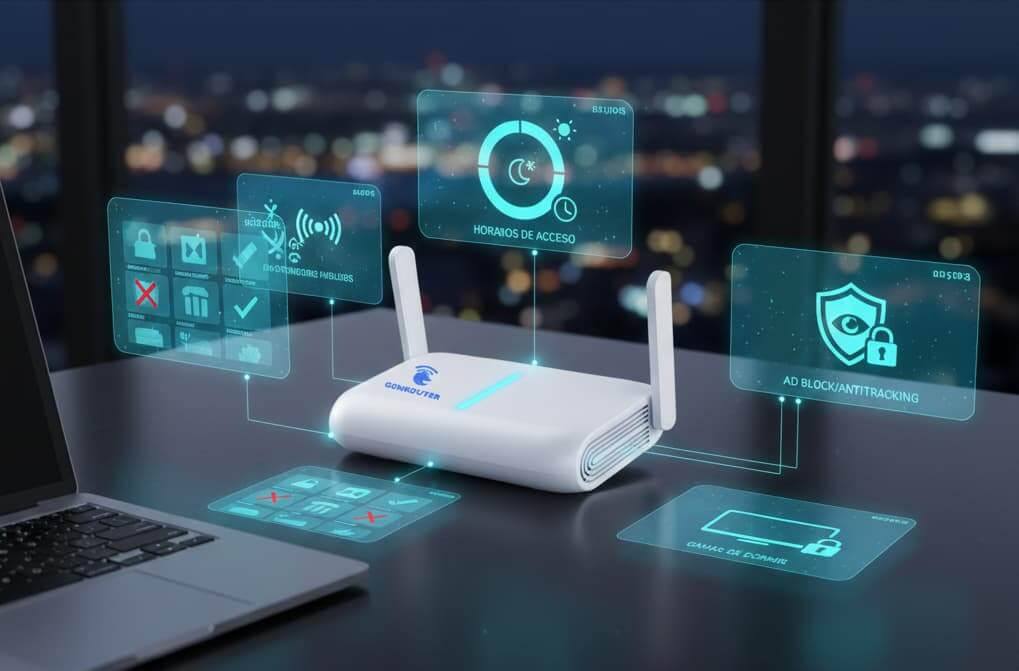
Essential features for 2025 include:
3.1. Intelligent Content Filtering (The White/Black List)
The filter must be dynamic and customizable. The ability to automatically update the lists of dangerous websites (as GenRouter does with adult or gambling websites) is vital. Furthermore, it is crucial to have:
- Whitelist: Allows specifying which devices (e.g., the parents’ work computer) are exempt from strict parental control. Protection only applies to devices listed as “children’s.”
- Blacklist: Allows parents to manually add specific websites or domains they wish to block, in addition to the predefined filters by the platform.
3.2. Time Management with Specific Schedules
It is not just an on/off button. Good control allows the creation of personalized access rules:
- Network Access Schedules: Define specific time slots and days of the week when the device is permitted to access the Internet. For example, access can be allowed at certain hours on weekdays and extended during weekends.
- Per-Application Limits: Being able to restrict the total usage time of an application (e.g., TikTok or YouTube) without completely cutting off Internet access.
3.3. Protection against Tracking and Malicious Advertising
Security and privacy are intrinsically linked. The best solutions offer an Ad Blocker and Anti-Tracking system at the network’s core.
- Tracker Blocking: Prevents scripts like Google Analytics or Facebook Pixel from sending browsing behavior data to third-party servers, ensuring private and fast browsing.
- Blocking Pop-ups and Malvertising: Stops the loading of malicious ads and pop-ups, reducing the router’s attack surface and minimizing the risk of a minor accidentally clicking on a dangerous link.
3.4. Encryption and Public Network Security (Traveler Mode)
Children and teenagers use their devices away from home. A parental control must offer solutions when they connect to public Wi-Fi networks (cafes, airports), which are inherently insecure and easy to spy on (sniffing) or hack.
- Default Encryption: The router must function as a repeater (repeating the public Wi-Fi) or a mobile access point, applying a VPN or proxy tunnel to encrypt the entire connection, protecting the family from hackers or fake hotspots.
- Portable Configuration: It is vital that the parental control, VPN, and schedule configuration remains intact when moving the router to a new Wi-Fi location, allowing for “plug-and-play” protection.
4. Comparison of the Best Parental Control Apps (Qustodio, Bark)
To complement a comprehensive strategy, many parents resort to software applications installed on the device. Below, we compare two of the market leaders:
4.1. Qustodio
Qustodio is a traditional parental control application with a balanced focus between activity monitoring and time limits.

- Focus: Detailed screen time limit setting and web filtering.
- Strengths: Its interface is very intuitive and allows parents to have an easy-to-understand activity summary. It is excellent for specific application control and has a “panic button” function for emergencies.
- Weaknesses: Requires application installation on each device, which can be bypassed by tech-savvy children. Control weakens if the child connects to an external Wi-Fi network without the application installed, and protection does not extend to IoT devices.
- Pricing Model: Annual subscription, with plans covering a limited number of devices.
4.2. Bark
Bark is distinguished by its focus on emotional safety and cyberbullying, using Artificial Intelligence (AI).
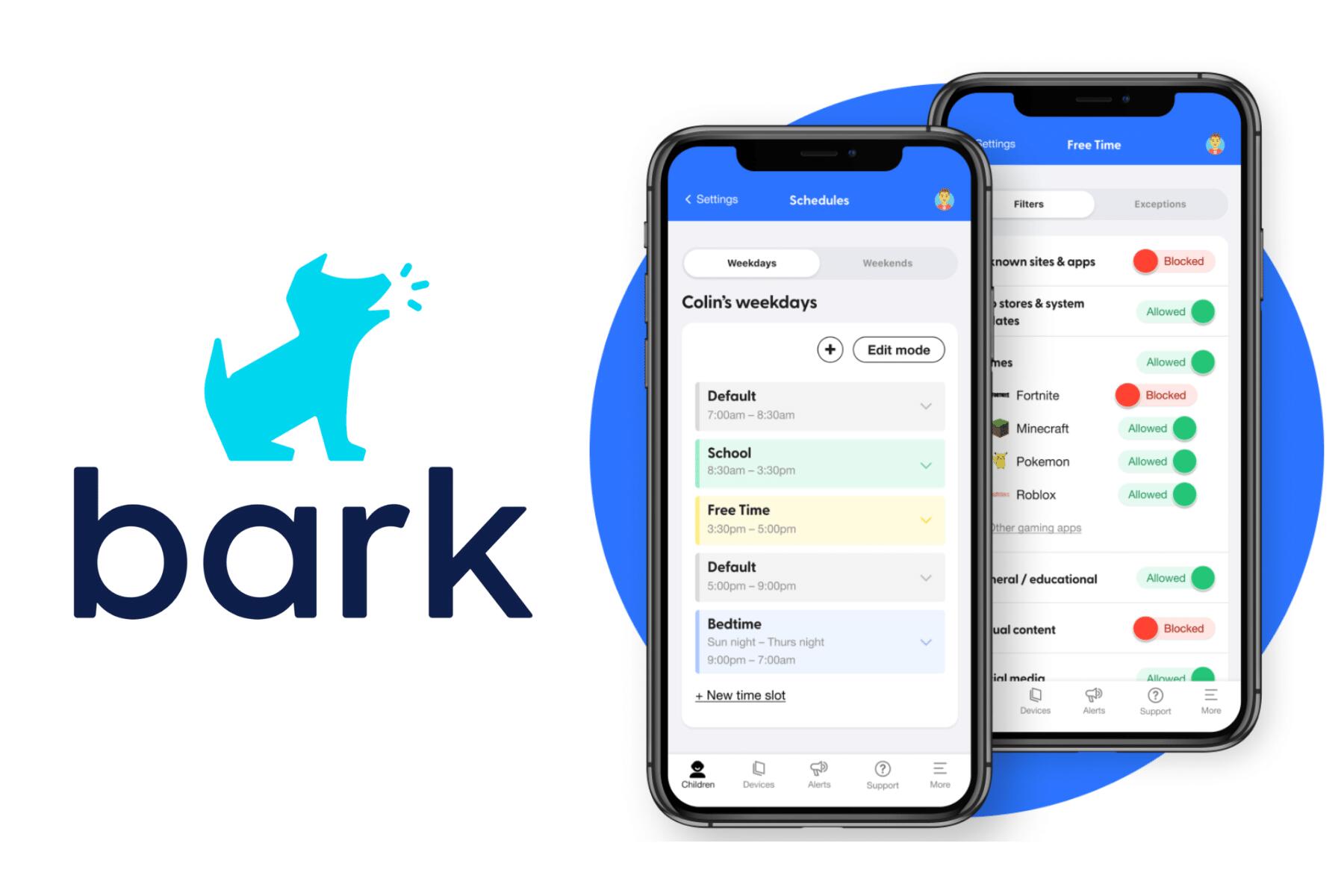
- Focus: Monitoring social media, email, and text messages for signs of depression, cyberbullying, sexually explicit content, or violent ideas.
- Strengths: It does not constantly monitor activity (which could be perceived as invasive), but only alerts parents when the AI detects an imminent risk signal. It monitors more than 30 social media platforms.
- Weaknesses: Traditional web filtering and screen time limits are less sophisticated than in Qustodio. Like other applications, it is limited to the devices where it is installed and may have trouble covering all devices connected to a home network.
- Pricing Model: Monthly or annual subscription, with different levels of device coverage.
5. The Definitive Solution: Router-Level Parental Control (GenRouter)
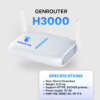
Applications installed on the device are a good start, but for comprehensive protection in the current digital age, the most efficient solution is network-level parental control. This is where GenRouter, the GenFarmer proxy router/Mini PC, sets a new standard.
GenRouter is not just a router; it is a security and network management infrastructure that applies parental control rules from the base layer (DNS/HTTP layer), providing unified and almost impossible-to-evade protection. GenFarmer experts have designed GenRouter to be the “first line of defense” in the home.

5.1. Key Benefits of Parental Control with GenRouter
GenRouter solves the inherent weaknesses of application-based solutions:
- Universal Device Protection: By operating at the router level, it protects every device connected to Wi-Fi (phone, PC, game console, Smart TV, tablet), eliminating the need for individual software installation.
- Invisibility and Difficulty of Evasion: Rules are applied in the router’s hardware. The child cannot simply uninstall an application or disable Wi-Fi. Restrictions apply to the network itself.
- Dynamic Content Blocking and Integrated AdBlock: GenRouter’s ability to automatically block gambling sites and adult content is complemented by a powerful Ad Blocker and Anti-Tracking. This stops behavioral tracking from the root, blocking DNS requests before they go out to the Internet (DNS-level blocking).
- Multiple Network Management (Multiple Wi-Fi): GenRouter allows broadcasting multiple Wi-Fi signals (up to 32 networks) simultaneously. This is ideal for parental control, as a “Children” network can be created with all restrictions (schedules, filters, AdBlock) and an “Adults” or “Guests” network without them.
- Assignment of Individual Policies (Smart Routing): GenRouter’s Smart Routing function allows, within the same network, for VPN/proxy rules to be assigned to specific devices. For example, the Xbox or the Smart TV can have an assigned VPN to access international content (e.g., Netflix from another country), while the child’s iPad remains on the local network with all restrictions.
5.2. Using the GenRouter KidMode Function
GenRouter’s KidMode function is designed to be the definitive layer of parental control.
- Control by Device (Whitelist): Allows selecting exactly which devices will be affected by the KidMode rules. Unselected devices (whitelist) browse without restrictions.
- Blocking Risk Categories: The system automatically updates its database to block sensitive categories such as: Adult Movies, Gambling/Casino/Football (betting), and the use of Social Networks at certain times.
- Advanced Scheduling: Parents can configure different access schedules by days and hours. For example, “Allow Social Network access only from 4:00 PM to 6:00 PM on weekdays.”
For parents looking for maximum peace of mind, GenRouter is the solution that combines intrinsic network security with content management and time control, all in a single, easy-to-manage platform.
Conclusion: The Investment in a Safe Digital Environment
In 2025, parental control can no longer rely solely on applications like Qustodio or Bark. These tools are useful for monitoring individual devices, but they cannot offer universal protection or block threats before they reach your home devices. Only an infrastructure-level solution – like GenRouter – guarantees a complete, centralized, and impossible-to-evade defense, filtering unwanted content for all devices from the root of the network.
Investing in a router with advanced parental control, such as the GenRouter V3, is investing in peace of mind: a clean, safe digital environment designed to foster healthy habits in your children. Router-level filtering eliminates blind spots, reduces data tracking, and provides granular control that no application can match. Take absolute control of your home’s digital environment today and discover how the GenRouter/MiniPC with KidMode redefines family security.